What Are Shortcodes?
Shortcodes are used to include candidate-specific details, such as names, addresses, and job titles in your email and SMS communications without having to manually add the information. Simply add the shortcode to your messages, and the information will populate when sent to candidates, allowing you to send personalised messages to multiple candidates simultaneously.
You can also use the shortcodes to send interview invites, video profile requests, and forms to candidates.
When creating email or SMS templates in Occy, you will notice a list of shortcodes to the right of the message area.
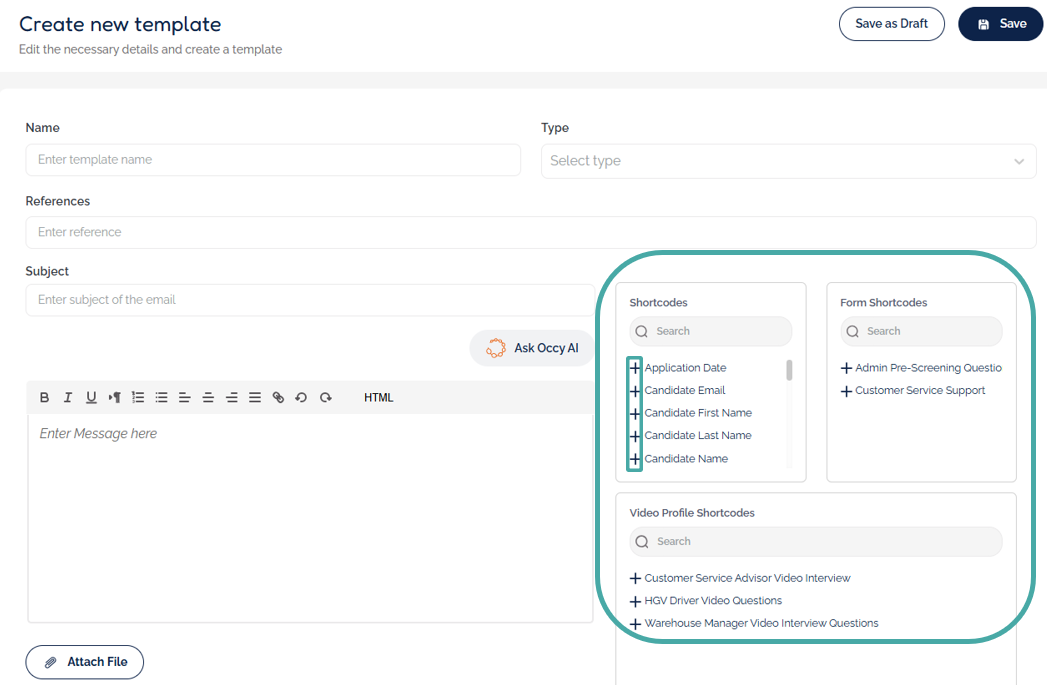
To use these shortcodes, simply type your message into the text box and click the + icon next to the shortcode to add it to the text.
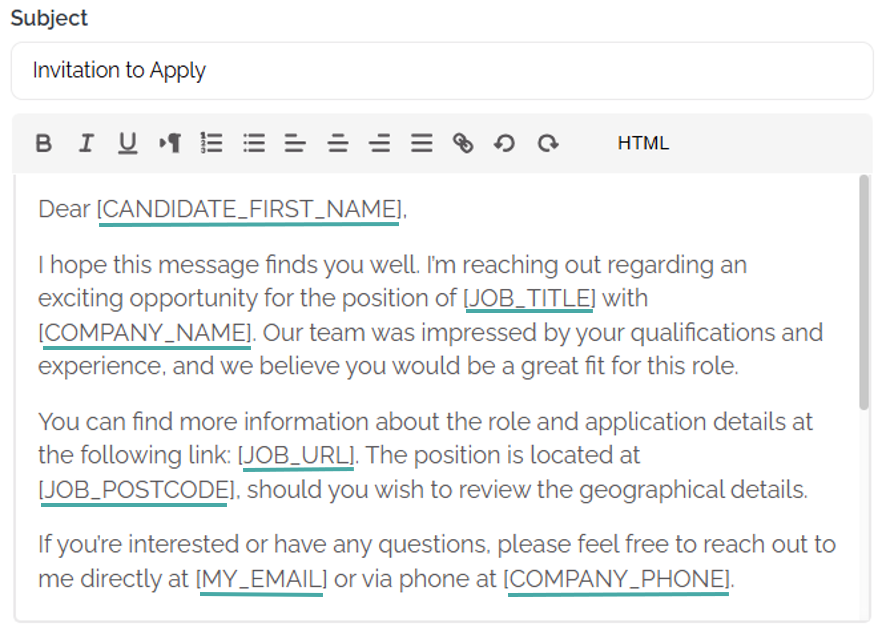
The shortcodes will auto-populate the data once the email is sent.
Where Can I Use Shortcodes?
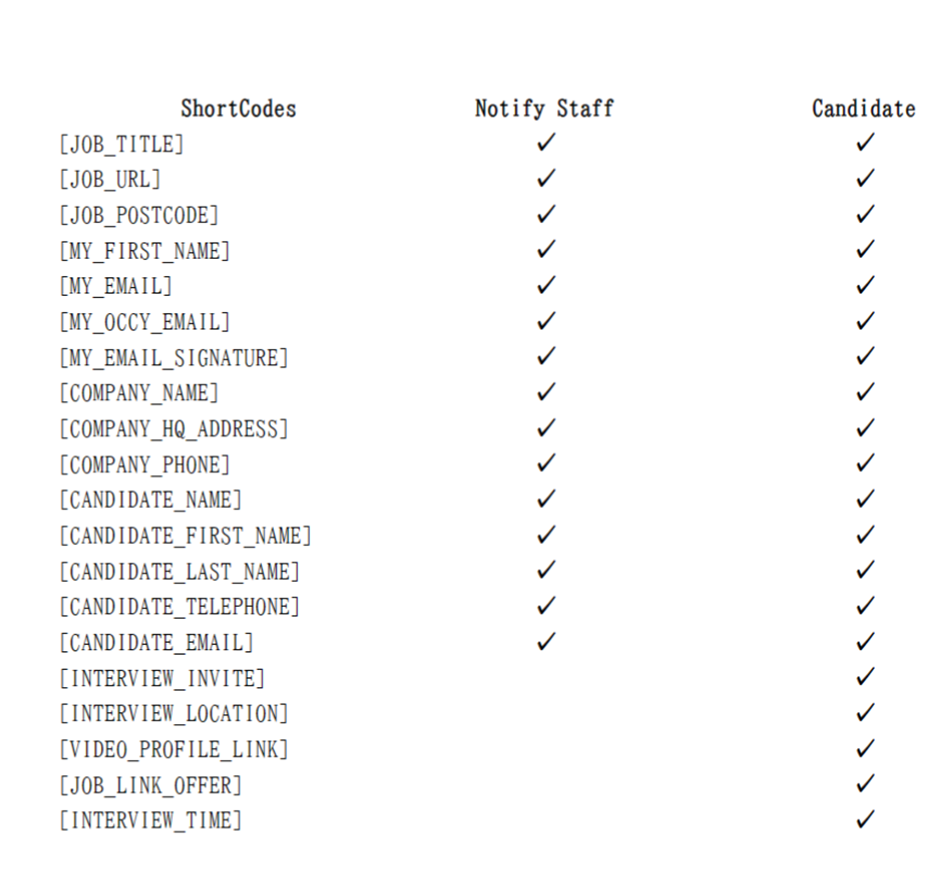
- Interview location and interview time shortcodes can only be used in templates used for the interview reminder function.
- The interview invite shortcode can only be added to messages sent via the 'Send Interview Invite' function.
- Some shortcodes are designed to be sent to candidates regarding a specific role. Therefore, these shortcodes cannot be added to internal emails.
Here is a list of shortcodes, noting whether you can add them to candidate emails or candidate and staff emails:
Form & Video Profile Shortcodes
Form shortcodes are links to forms you created in the Forms area within Settings. They will only show when creating or editing an email template, not SMS.
To send form or video profile invite links to candidates, you’ll need to use different shortcodes depending on where the email is sent from.
If you’re sending the link directly to a candidate (not via automation), you can:
- Use an existing email template that already contains the shortcode (as shown above), or
- Create your own email and insert the shortcode found in the Settings area of the form in the Forms Library or in the Video Profile list.
Forms shortcode:
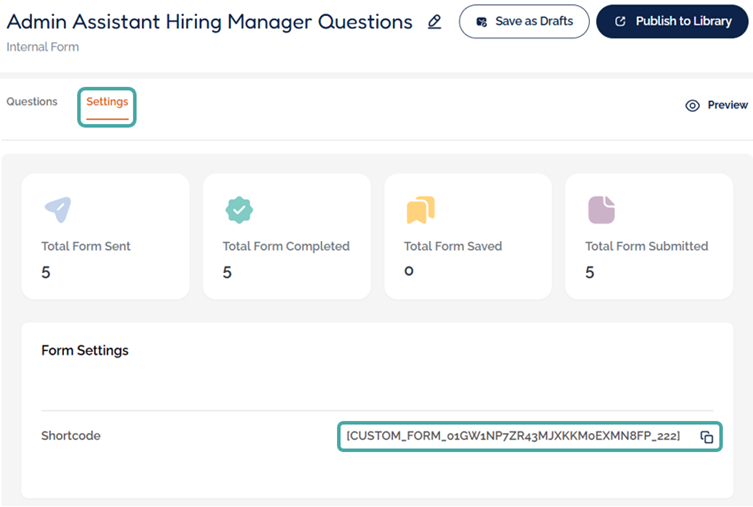
Video Profile shortcode:

If you’re sending the links via an automation, you will need to use the following shortcodes to send the links:
- [VIDEO_PROFILE_LINK]
- [LINK_TO_QUESTIONNAIRE]
This difference exists because automations automatically use the form or video profile information you’ve selected in the automation setup, while direct emails need to specify exactly which form or video profile is being sent.
Don’t worry, if you’ve saved your forms using custom form links, Occy will prompt you to add the correct automation shortcodes when creating your automation.
For further information on the creation of email and SMS templates, follow the following articles:
Was this article helpful?
That’s Great!
Thank you for your feedback
Sorry! We couldn't be helpful
Thank you for your feedback
Feedback sent
We appreciate your effort and will try to fix the article